
Cost Centers
See profit and loss by department, project or location
Tag any transaction line to a cost center and instantly understand which parts of your business make money. Two tracking dimensions, Xero-style, built right into your books.
2
Tracking dimensions
Per-line
Allocation
P&L
By cost center
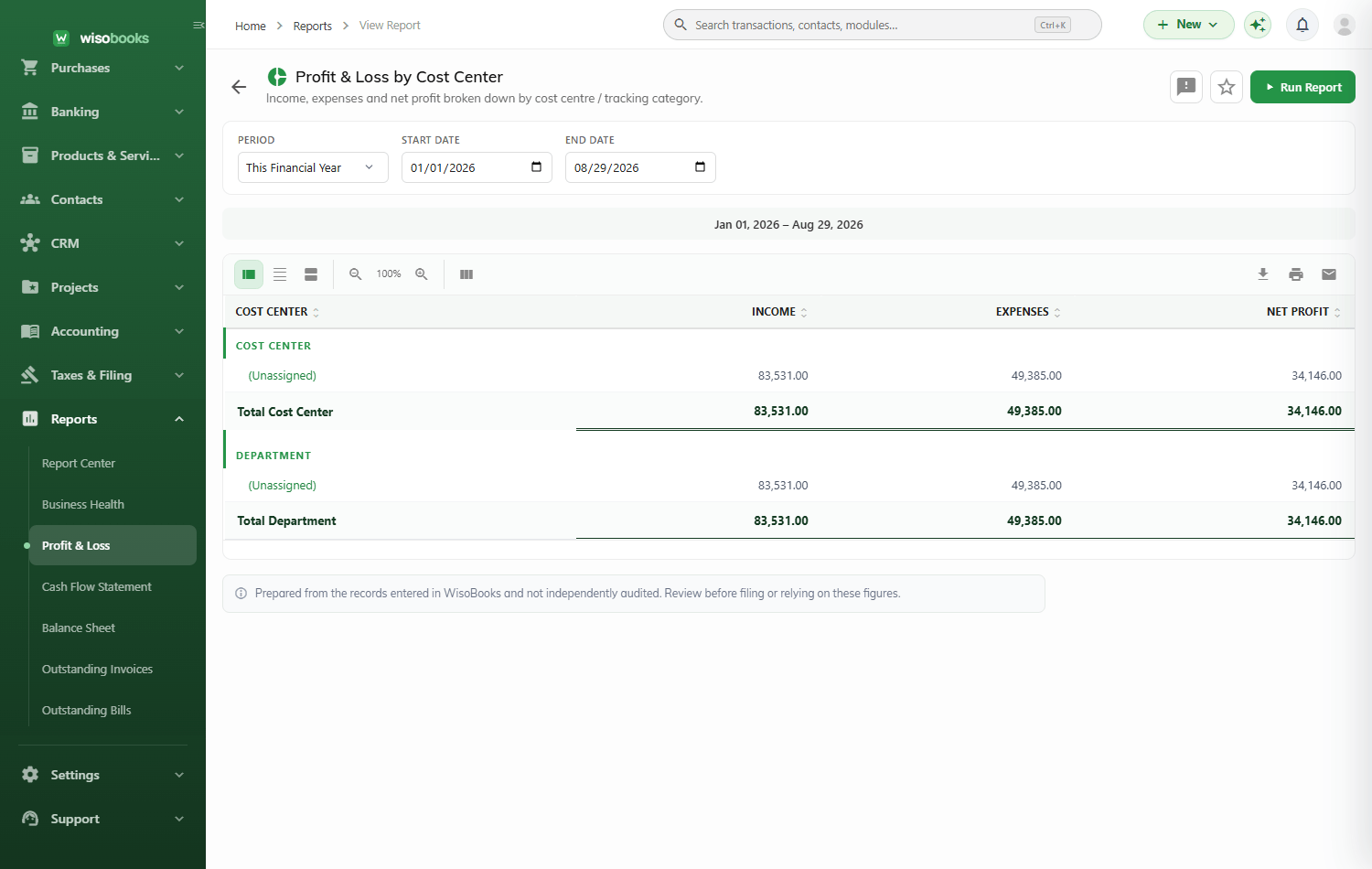
Two dimensions. Infinite clarity.
Name your dimensions whatever fits — Department and Project, Branch and Campaign, Region and Team. Add as many options as you need and switch the whole module on only when you want it.
Two tracking dimensions
Custom-named categories
Switch on per tenant
Retail — Profit
$28,400
Department
Project Alpha
$11,900
Project
Online — Loss
-$2,100
Needs review
Tag any line on any transaction
Cost-center dropdowns appear on every transaction line, so allocation happens as you work — not in a painful month-end exercise. Each line can carry both dimensions.
- On invoices, bills and expenses
- On manual journals and quotes
- On credit notes and orders
- Per-line allocation, both dimensions at once
- P&L-only split that keeps the balance sheet clean
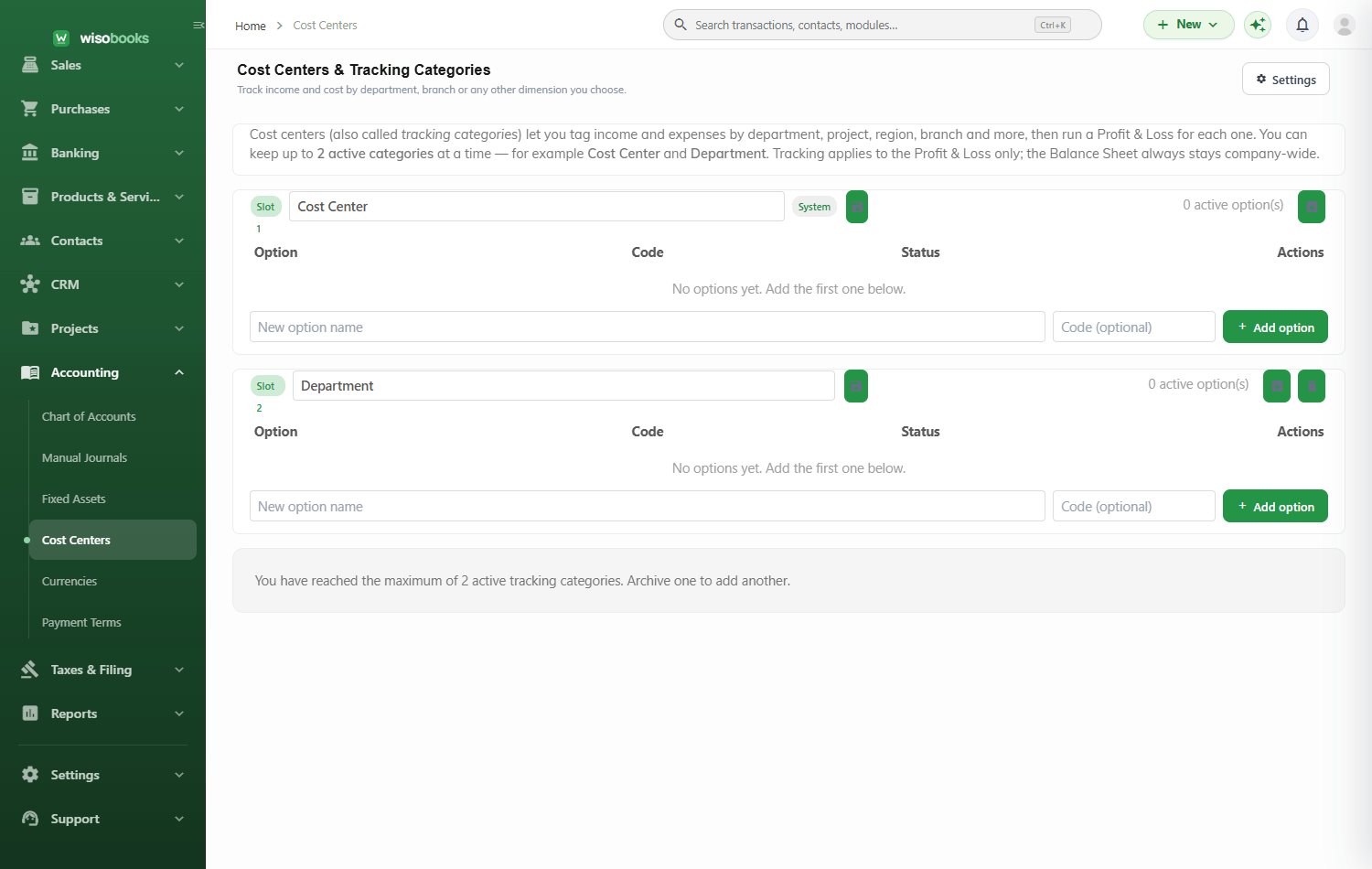
Profit & loss by cost center, on demand
Slice your P&L by either dimension and compare departments, projects, branches or campaigns side by side. Find the winners, fix the losers, and budget with confidence.
- Profit & loss filtered by cost center
- Compare departments and projects
- Cost-center filters across reports
- Export to PDF and Excel
| Cost center | Income | EXPENSES | Profit |
|---|---|---|---|
| Retail store | $62,000 | $33,600 | $28,400 |
| Wholesale | $41,000 | $29,100 | $11,900 |
| Online | $18,000 | $20,100 | -$2,100 |
FAQ
Cost-center questions, answered
What is a cost center in WisoBooks?
A tracking dimension — like a department, project, branch or campaign — that you tag onto transaction lines so you can measure profit and loss for each one.
How many tracking dimensions can I use?
Two independent dimensions, so you can analyse by department and project at the same time.
Where can I assign cost centers?
On every transaction line — invoices, bills, expenses, manual journals, credit notes and quotes — then report P&L by cost center.
Is it optional?
Yes. Cost-center tracking is a module you switch on when you need it, and it only splits the profit & loss — your balance sheet stays simple.